 EquateIt
The Best AI Study Tools for VCE in 2026

What are the best AI tools for studying VCE?
For VCE, the AI tools worth your time fall into three tiers. The chatbots — ChatGPT, Claude and Gemini — are the best all-rounders for explaining concepts, summarising, and essay feedback. NotebookLM is the best for studying from your own notes without it making things up. And then there’s the tier almost no student knows about: Claude Code, which runs in the terminal and can be turned into a custom “skill” that analyses your SACs, generates practice questions with worked solutions, and files them straight into your notes as PDFs — automatically. But there’s one catch that decides everything: none of the general tools know VCAA, and all of them will confidently get maths wrong. So the real skill is using AI to understand, and a VCAA-aligned tool to check you’d actually get the marks.
I actually used these, so you don’t waste a term finding out
I remember when “use AI to study” just meant pasting a question into ChatGPT and hoping. Half the time it handed me a clean, confident, completely wrong answer to a VCE-style question — and I had no way of knowing.
There are now a dozen tools all promising to help you study. Some are genuinely great. Some will quietly teach you the wrong method three weeks out from a SAC. That gap matters more in VCE than almost anywhere else, because VCAA marks to a specific study design — and a general AI has no idea what that is.
So here’s the honest breakdown: what each tool is actually for, where it breaks, and the one tier that goes way beyond a chat box.
Tier 1 — The chatbots: ChatGPT, Claude and Gemini
I’m grouping these together on purpose, because for a VCE student they do the same core job: you type, they answer. The differences are real but small next to what they have in common.
What they’re great at:
- Explaining a hard concept five different ways until one finally clicks.
- Summarising a dense chapter into something you can revise from.
- Essay feedback — structure, clarity, whether your argument actually holds (Claude is especially strong here; you can paste a whole essay or a full chapter in one go).
- Research and anything Google — that’s Gemini’s edge, since it lives inside Docs, Drive and YouTube.
If you want a nuance: ChatGPT is the best default all-rounder, Claude is the one I reach for on long writing and reasoning, and Gemini is worth it if your whole life is already in Google. But honestly? Pick one, learn it well, and stop tool-hopping.
Where they break — and this is the important bit:
They don’t know VCAA. And they will state a wrong maths result with total confidence. Paste in a Methods question and you’ll eventually get a beautifully laid-out, completely wrong final answer — with no warning that it’s wrong. Treat any maths working a chatbot gives you as a draft to check, never as a marking scheme.
Deep dives coming: ChatGPT vs Claude vs Gemini for studying, and the 5 things AI gets wrong about VCE maths.
Tier 2 — The specialists
NotebookLM — best for studying from your own notes
You feed it your sources — class notes, the textbook, past papers — and it answers only from those. That grounding means far less of the confident-but-wrong problem. It’ll build study guides and even generate an audio overview you can listen to on the bus. For consolidating a topic from material you already trust, nothing else comes close.
Where it breaks: it’s only as good as what you feed it — messy notes in, messy guide out — and it’s a study companion, not a marking engine. It won’t tell you whether you’d get the marks in a SAC.
Full walkthrough: how to set up NotebookLM and the best questions to ask it.
Khanmigo — best patient concept tutor
It won’t just hand you the answer; it nudges you toward it, Socratic-style, which is genuinely good for building understanding from scratch. The catch: it’s built on US curricula, not VCAA, and it’s a paid subscription. Good for concepts, not for VCE-specific exam prep.
Tier 3 — The one almost no student knows about: Claude Code
This is where it gets interesting, and where I actually spend my time.
Most people meet AI as a chat box — you type, it types back, and everything stays trapped in that window. Claude Code is different: it runs in the terminal — the plain text command line on your computer — which sounds intimidating but is exactly what makes it powerful. Because it lives on your machine, it can touch your actual files and apps: read a folder of past papers, write a new document, save a PDF, drop it in your Drive. It doesn’t just talk about your study — it can do it.
Three words unlock this, so let me explain them the way I wish someone had explained them to me:
- An API (“application programming interface”) is just a doorway that lets two apps talk to each other automatically. It’s how a tool can read and write your Notion or your Google Drive without you copy-pasting anything.
- An MCP (Model Context Protocol) is a newer standard that lets the AI plug into those doorways in one consistent way. Think of it as USB-C for AI — one port that connects the assistant to your notes, your Drive, a question bank, whatever you want it to reach.
- A custom skill is a saved, reusable instruction that teaches the AI to do a specific multi-step job the same way every time. You set it up once; after that it’s a single command.
Put those together and you can build something a chat box simply can’t: a study machine.
Here’s a real one. Imagine a skill you run on a past SAC:
- It reads the SAC and works out which concepts it’s really testing — and where you’d be weakest.
- It generates fresh practice questions on exactly those concepts, with full worked solutions.
- It saves them into your Obsidian or Notion as clean, separate sheets — one per topic.
- It exports them as PDFs.
- It drops those PDFs into your Google Drive, ready to print or revise from.
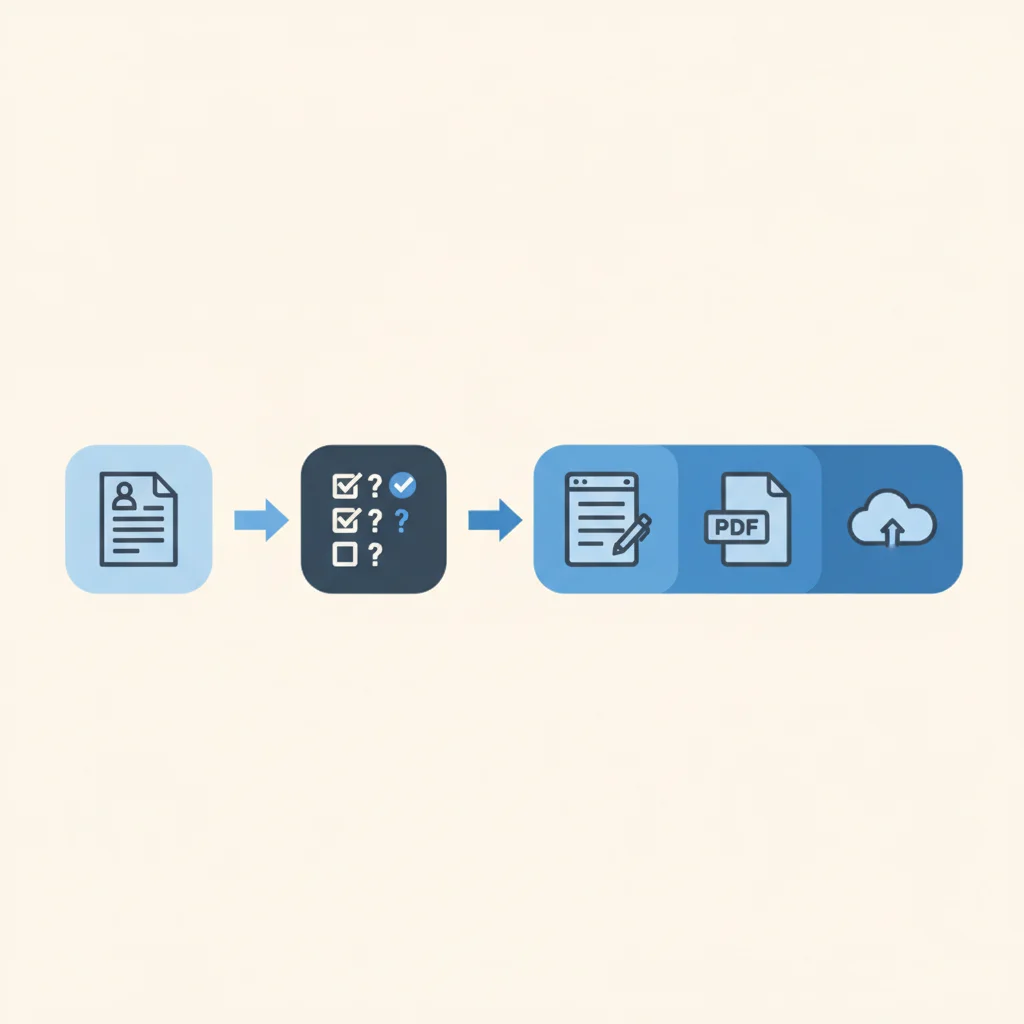
That’s the whole loop — analyse, generate, file, export, save — from one command, in the time it takes to make a coffee. No more losing the best 30–40 minutes of a study session scrolling the internet for “similar questions.” No more manually formatting notes. It just builds your revision for you.
The honest part: this tier has a real learning curve, and it costs money to run (API usage or a subscription). It’s the power-user lane, not the beginner one.
So here’s the shortcut. If that sounds useful but you don’t want to set any of it up: email us at support@equateit.com.au with your subjects and what you’d want it to do, and we’ll send you a ready-made study skill you can run. We build these anyway — happy to hand one over.
What’s the catch with using AI to study for VCE?
Did you notice the same warning under the chatbots? They don’t know VCAA, and they get maths wrong.
That isn’t a footnote. It’s the whole problem. A tool that’s confidently wrong is worse than no tool, because you don’t know to doubt it. You walk into your SAC having drilled a method that quietly loses marks, and the AI never warned you — because it was never trained on the study design you’re being marked against.
So the workflow that actually works is two layers:
- General AI to understand — explanations, summaries, planning, essay feedback, turning your notes into study guides (and, if you go there, custom skills to automate the busywork).
- A VCAA-aligned tool for the part that decides your marks — real practice questions, marked the way VCAA actually marks, with worked solutions you can trust.
Use the first layer to learn. Use the second to know it’ll hold up under exam conditions.
Where EquateIt fits (and yes, it’s ours)
I’m not going to rank our own tool against the others — that wouldn’t be honest, and you’d be right not to trust it. But EquateIt is the reason I care about this, so here’s the straight version.
EquateIt is that second layer. Every VCE Maths Methods and Specialist topic is broken into practice questions, marked the way VCAA marks, with worked solutions — so the feedback you get is the feedback that actually counts. It isn’t trying to be ChatGPT. It’s the thing ChatGPT can’t be: VCAA-specific, and right about maths.
It’s also not just another app to stack on top of ten others. A private VCE tutor in Melbourne runs $50–$100 an hour, and stacking five AI subscriptions adds up fast too — the point of EquateIt is one place to practise and get marked properly, a 1-stop shop, instead of paying for five tools and still not knowing whether you’d get the marks.
Use the general tools to understand. Use EquateIt to know you’d get the marks. Get a quote → — or email us at support@equateit.com.au and we’ll send everything over.
Which AI tool should you use for each study job?
| Study job | Reach for |
|---|---|
| Understand a hard concept | ChatGPT or Claude |
| Study from your own notes | NotebookLM |
| Essay feedback | Claude or ChatGPT |
| Research a topic | Gemini |
| Build foundations from scratch | Khanmigo |
| Automate revision (analyse SAC → make questions → PDF → Drive) | Claude Code + a custom skill (or ask us for one) |
| VCAA practice + real marking | A VCAA-aligned tool (EquateIt) |
The students who get the most out of AI aren’t the ones using the most tools. They’re the ones who know which tool does which job — and who never trust a general AI to mark them.